The Stamped blog
Moments FAQ: Your Complete Guide to Lifecycle Automation
Lifecycle
by Aiden Brady
TLDR: Generic retention campaigns fail because they guess when customers are ready to buy. Stamped Lifecycle automates personalized messages triggered by six key “Moments”—Cross-Sell, Replenishment, Late Replenishment, Sample Upsell, Subscription Upsell, and Lapse Prevention. Each Moment uses real purchase behavior to reach customers when they’re actually ready, not on arbitrary timelines. The result: higher repeat rates, stronger subscription conversions, and retention that feels helpful instead of pushy—all automated. Ready to stop guessing and start automating? Book a demo with Stamped to see Lifecycle in action.
Introduction
When brands struggle with retention marketing, it’s typically because they’re guessing when’s the right time to reach customers. Stamped’s Lifecycle (also known as Repeat) solves this by automating personalized post-purchase flows that engage customers at crucial moments in their journey.
Instead of sending generic campaigns based on arbitrary timelines, Lifecycle delivers personalized dynamic content at the best moment, driving customers to their next order with effortless precision.
In this guide, we’ll walk through how each Moment works and answer the most frequently asked questions we hear from merchants about implementation and optimization as part of their retention strategy.
What Are Moments?
Moments are the events that power Lifecycle automation. Think of them as the natural rhythms of your customer relationships: key lifecycle events that signal when a customer is ready for their next interaction with your brand. Each Moment is a data-driven touchpoint based on actual customer behavior and purchase patterns, not guesswork.
They help you automate responses that feel personal and timely rather than generic and pushy. Each Moment represents a different stage in the customer journey, from trial to repeat purchase to subscription (and everything in between).
What is the Repeat Cart?
Since you’ll see this mentioned throughout the article, let’s clarify what it is.
The Repeat Cart is a personalized, conversion-optimized checkout experience built specifically for returning customers. Unlike a standard storefront, the Repeat Cart is pre-populated with products customers are likely ready to reorder, as well as relevant past purchases, based on their purchase history and typical replenishment cycles.
When Lifecycle sends automated retention messages—whether that’s a replenishment reminder, subscription upsell, or lapsed customer reactivation—the CTA takes customers directly to their Repeat Cart at precisely the right moment.
Cross-Sell Moment
Goal: Dynamically target customers when they’re most receptive to trying additional products.
Trigger: We commonly see between 7–15 days on average, based on when customers are ready for their next order. This can be manually customized or set automatically and varies by store.
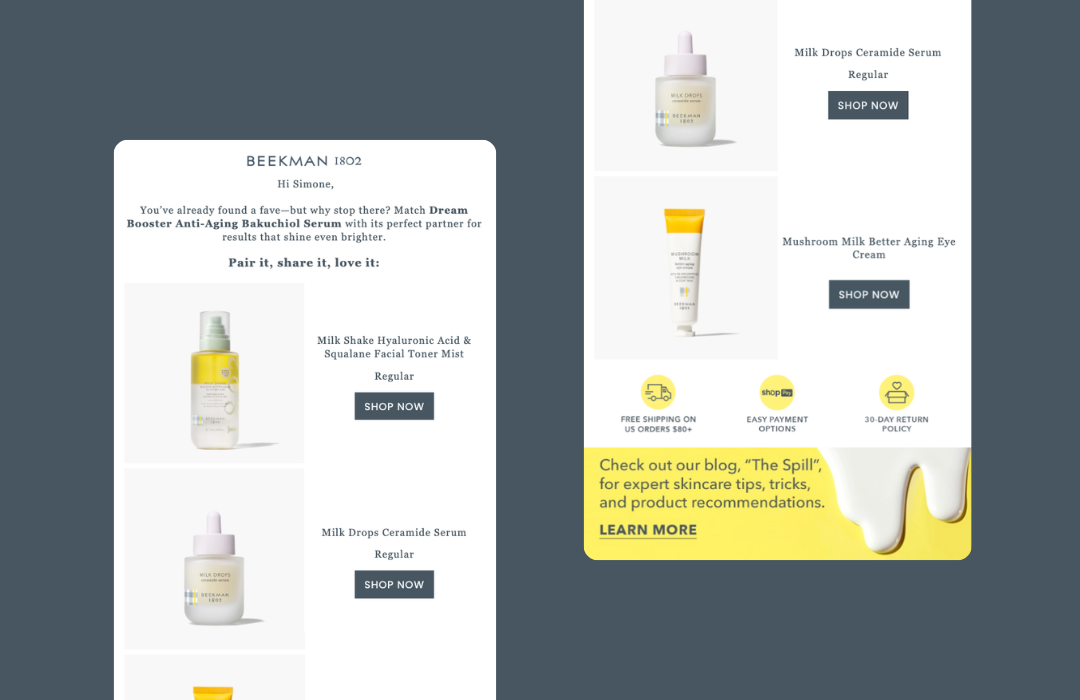
Content: Personalized cross-sell product predictions curated from your store based on each customer’s past purchasing behavior and order history.
Frequently Asked Questions
How does Lifecycle decide which products to cross-sell?
Lifecycle analyzes real Shopify purchase behavior, looking at patterns like what customers typically buy after a given product, which products frequently appear together in orders, and which items convert best as follow-up purchases. This allows Lifecycle to recommend the top three products each customer is most likely to buy next.
When does the Cross-Sell Moment send after purchase?
Cross-Sell sends between a minimum and maximum threshold based on real customer behavior. Your minimum threshold is set during onboarding (typically 10–15 days). Lifecycle then uses Shopify data to determine when customers are most receptive, usually between 15–40 days post-purchase depending on your vertical.
Why do different customers see different cross-sell suggestions?
Because recommendations are fully personalized. Lifecycle looks at what similar customers bought after their initial purchase and surfaces the products with the highest purchase probability for each shopper. Two customers buying the same first item may have different follow-up behaviors.
Does cross-selling happen at the variant or product level?
Cross-Sell operates at the product level. Lifecycle evaluates customer purchase patterns across products, so different variants of the same SKU are treated as one product for recommendation purposes.
Can cross-sell suggestions appear in both flows and campaigns?
Yes. Lifecycle offers event-based blocks (for Lifecycle-powered flows) and profile-based blocks (for campaigns and non-Lifecycle flows). Both show personalized cross-sell suggestions.
How does Cross-Sell work for brands with small product catalogs?
It still works well because Lifecycle identifies even subtle purchase patterns. For small catalogs, customers typically see a different scent or flavor of a product they enjoy, or a complementary product in the same routine. You can also set cross-sell recommendations to the variant level in the app’s settings so different sizes, flavors, etc. are recommended.
Can I exclude certain products from being recommended?
Yes. You can remove the product from the Repeat Sales Channel (which removes it from all Moments and the Repeat Cart), or provide Product IDs to your CSM to exclude specific products from Cross-Sell logic only. Variants cannot be individually excluded since Cross-Sell is product-based.
Can I override Lifecycle’s recommendations with my own picks?
Yes. You can place your own static blocks in flows or campaigns. However, using Lifecycle’s dynamic Cross-Sell blocks is recommended because they adapt to each customer based on real behavioral data, which typically leads to higher click and conversion rates.
What performance benchmarks should I expect?
Cross-Sell is typically the highest-converting Moment after Replenishment. Across brands using Lifecycle, we commonly see strong open and click rates due to personalization, high AOV lifts from multi-product purchasing, and strong ROI even with small catalogs.
Replenishment Moment
Goal: Dynamically target customers at the moment they’re running low on a product.
Trigger: At the median time (50th percentile) to replenish per product.
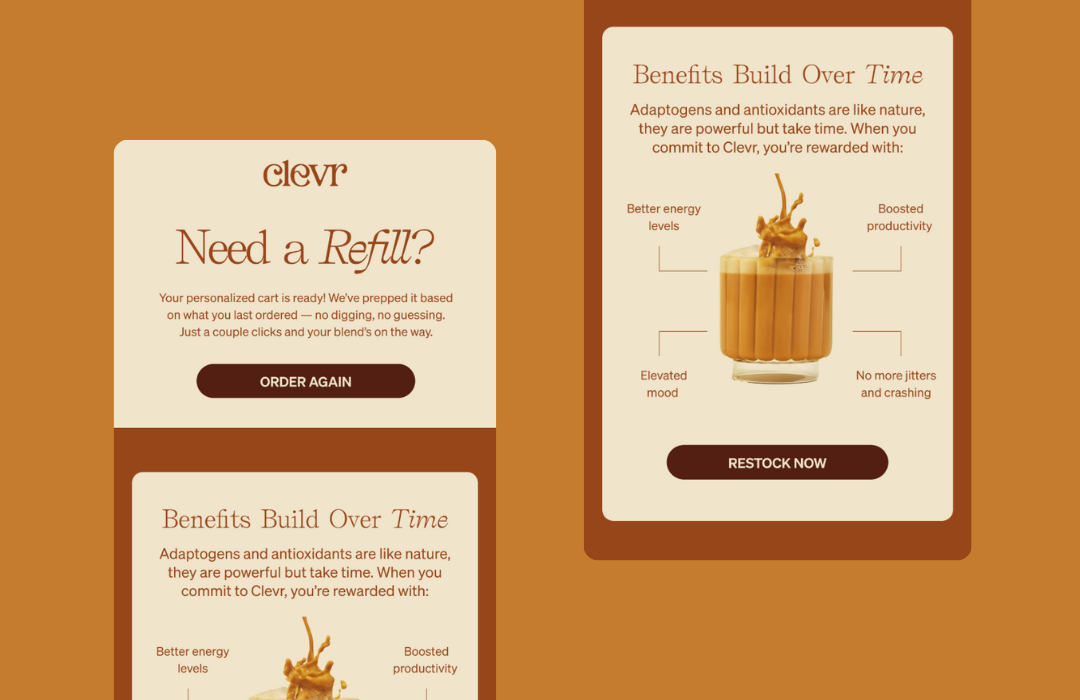
Content: Products due to be replenished are automatically featured, with a CTA leading to their personalized Repeat Cart. If customers purchased several products within a similar timeframe, they’ll be grouped together automatically.
Frequently Asked Questions
Can replenishment flows run alongside my existing manual flows?
Yes. Many brands run both. Lifecycle acts as a dynamic, behavior-driven safety net. For example, your 30-day manual replenishment flow may catch early buyers, while Lifecycle will still catch customers who reorder later based on their true consumption pattern. They work together without double-sending because they’re triggered by different logic.
Why do some customers receive replenishment messages earlier or later than others?
Because Lifecycle personalizes timing based on product-specific purchase behavior across your customer base. Customers receive reminders at the median reorder time (Replenishment) and the 75th percentile (Late Replenishment). Different products have different consumption patterns, which means each customer surfaces into a Moment at the right time for that item.
How do I see the replenishment intervals for each product?
View them anytime in the app: Repeat App → Insights → Replenishment Behavior. This page shows the median, 75th percentile, and full interval distribution for every product, updated in real time.
Can I adjust the timing of replenishment emails or SMS?
You can’t manually set exact send dates because replenishment timing is powered by real customer purchase behavior. What you can adjust: turning the flow on/off, enabling SMS or email, and updating content or design. Timing itself is automated so it always reflects true reorder behavior.
Can I prevent certain products from triggering replenishment reminders?
Yes. Once a product is removed from the Repeat Sales Channel, it will not trigger replenishment, will not appear in the Repeat Cart, and will be excluded from Lifecycle-powered flows. You can also use replacement mapping if needed.
If a customer buys multiple products with different replenishment intervals, will they receive multiple emails?
Lifecycle always sends one replenishment email per customer, not one per product. Inside that email, the customer will only see the product(s) that are due based on their individual replenishment intervals. When another product becomes due later, Lifecycle triggers a new message at that product’s correct time.
Can customers reorder multiple products from one replenishment message?
Yes. Even if the email highlights only the item due for replenishment, the Repeat Cart shows all products the customer has purchased before, anything currently in a reorder window, and items they can add on (including Subscribe & Save, if applicable). This drives higher AOV and gives customers a simple, frictionless checkout.
What happens if a product goes out of stock before the replenishment email sends?
Lifecycle automatically removes out of stock or draft products from replenishment flows, late replenishment, and Repeat Cart recommendations. Customers will never be prompted to reorder an unavailable item.
Do subscription orders affect replenishment timing?
No. Subscription orders do not influence replenishment intervals. Lifecycle only uses one-time purchase data to determine accurate timing. Once a customer becomes a subscriber, they stop receiving replenishment messages entirely.
Late Replenishment Moment
Goal: Target customers who are slower to use a product at the moment they’re running low.
Trigger: At the 75th percentile to replenish per product.
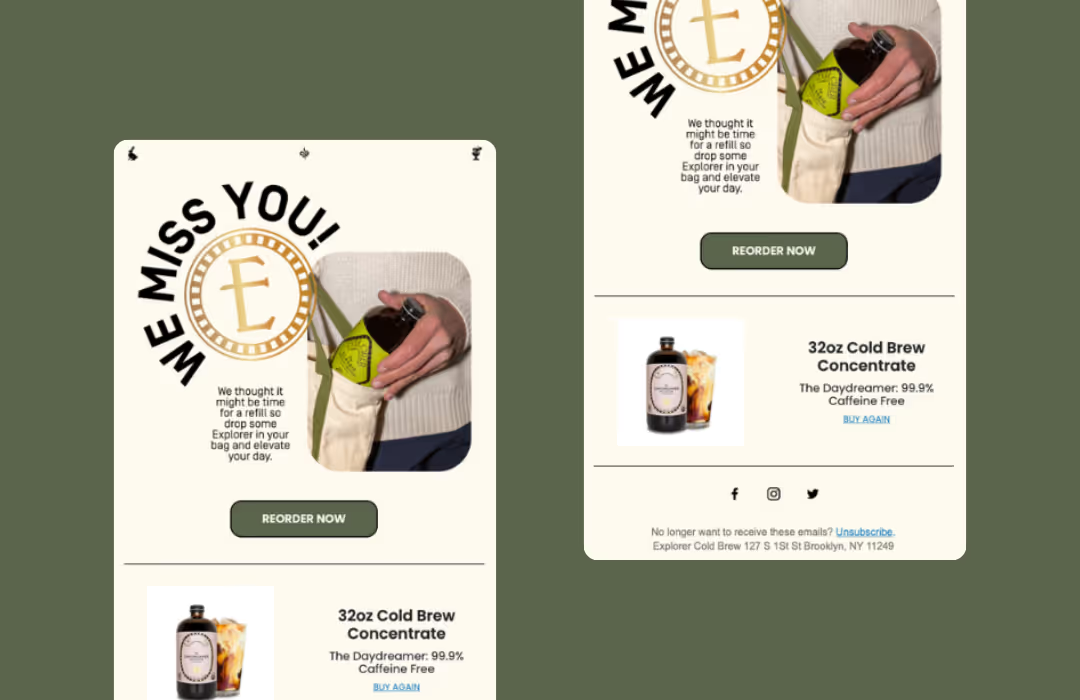
Content: Products due to be replenished are automatically featured, with a CTA leading to their personalized Repeat Cart. Multiple products purchased within a similar timeframe are grouped together automatically.
Frequently Asked Questions
How does Lifecycle decide who enters the Late Replenishment Moment?
A customer enters Late Replenishment if they received a Replenishment reminder and did not reorder the product within the expected window. Lifecycle uses historical purchase behavior across your store to determine when a customer is considered “late” for that product.
What’s the difference between Replenishment and Late Replenishment?
Replenishment is the primary reminder sent when Lifecycle predicts a customer is most likely running low on a product. Late Replenishment is a follow-up reminder sent if the customer does not reorder after the initial replenishment message. Think of it as: Replenishment = “You’re probably running low” and Late Replenishment = “Just checking in—you may have missed your refill.” They work together to capture both on-time and slightly delayed reorders.
Should I use both Replenishment and Late Replenishment, or just one?
You should use both. Replenishment captures customers who reorder on time, while Late Replenishment captures customers who delay but still intend to buy. Together, they maximize repeat purchase capture, reduce churn from forgetful or distracted customers, and create a more complete retention safety net.
Can I customize the Late Replenishment template separately from the main replenishment flow?
Yes, but our recommended best practice is to clone your existing Replenishment flow, update the trigger to Late Replenishment, and keep the core content the same. The delivery windows between Replenishment and Late Replenishment are far enough apart that repeating the same creative doesn’t feel redundant to customers. If you want to optimize further, we recommend testing subject lines, light copy tweaks, creative updates, or incentive strategies.
Can I change how long Lifecycle waits before sending a late reminder?
No. Late Replenishment timing is automatically calculated by Lifecycle based on real customer behavior, not fixed rules. It adapts per product and per customer and prevents over-messaging or sending reminders too early. You can customize the messaging, but the timing remains dynamic.
Do customers who reorder early still get late reminders?
No. If a customer reorders before the late window, they automatically exit the Late Replenishment Moment. No additional reminders are sent for that product. Lifecycle always prioritizes the most recent purchase behavior.
How does Late Replenishment impact revenue and repeat purchase rate?
Late Replenishment consistently recovers orders that would otherwise be lost, increases overall repeat purchase rate, and adds incremental revenue without relying on discounts. For many brands, Late Replenishment is one of the higher-ROI flows because it targets customers who already have purchase intent—they just need a reminder.
Sample Upsell Moment
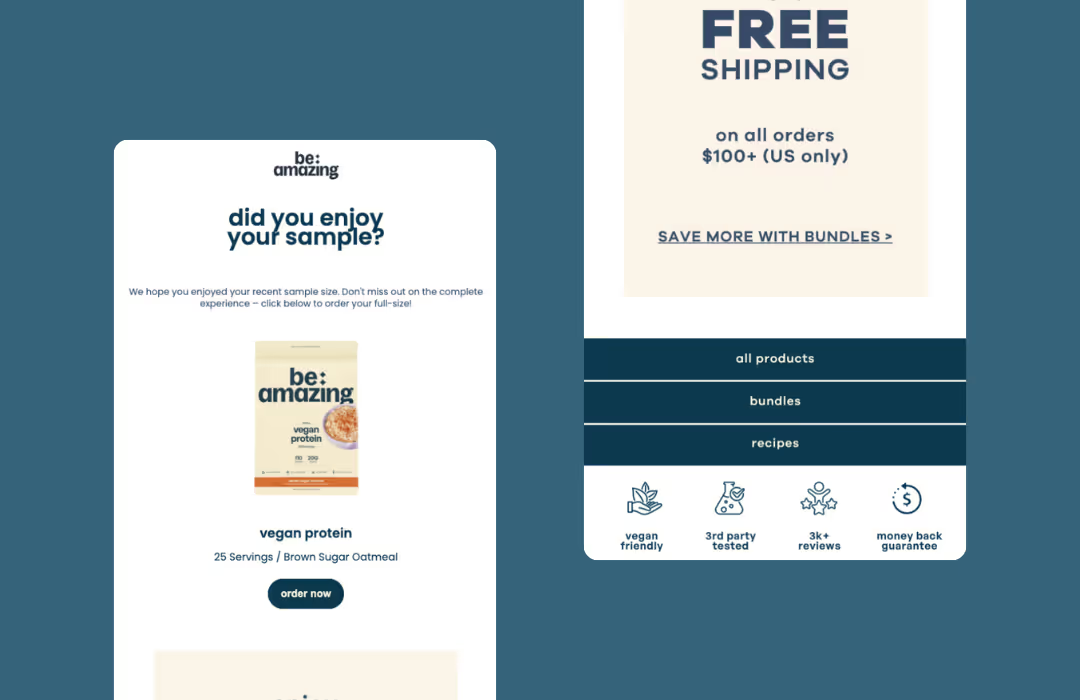
Goal: Guide customers who purchased a sample or travel-size product to add the full-size version to their next order.
Trigger: 14 days after delivery, giving customers time to try the product.
Content: The full-size product equivalent is automatically featured, with a CTA leading to the Repeat Cart for easy purchase.
Frequently Asked Questions
Do I need to map sample products to their full-size versions?
Yes. Mapping tells Lifecycle which full-size product to promote. Without mapping, Lifecycle cannot trigger the Sample Upsell Moment because there’s no defined destination product.
Can I use Sample Mapping for travel-sized products?
Yes. Travel-size products can be mapped to a full-size SKU the same way as samples, creating a clean upsell path from trial to full size. Once mapped, Lifecycle no longer uses that SKU for replenishment logic—all future timing and Moments are based on the full-size product instead. If you still want the travel-size SKU to appear in Replenishment or other Moments, don’t map it.
Can I change the 14-day timing?
No. The timing is fixed at 14 days to ensure consistency across lifecycle events and align with typical trial periods.
How does Sample Upsell affect other Moments once a customer buys the full size?
Once a customer purchases the full-size version, Lifecycle treats it like any other standard SKU. They automatically enter the Replenishment Moment and receive reminders based on that product’s actual consumption patterns. There’s no conflict—the customer simply continues through the normal lifecycle.
Will customers exit the flow if they buy the full size early?
Yes. If the customer purchases the full-size version before the 14-day send window, they automatically exit the Sample Upsell Moment. Lifecycle will not send redundant emails.
What happens if the full-size product is out of stock?
If the full-size product is out of stock or set to draft in Shopify, the Sample Upsell Moment will not send, or Lifecycle will dynamically exclude the unavailable product from the content. Lifecycle never promotes an item a customer cannot purchase.
What happens if a customer receives the same sample more than once?
Lifecycle triggers one Sample Upsell flow per sample experience. If a customer receives the same sample again later, the Moment can trigger again because each sample is treated as a separate trial. This doesn’t negatively impact replenishment, subscription upsell, or cross-sell logic.
Subscription Upsell Moment
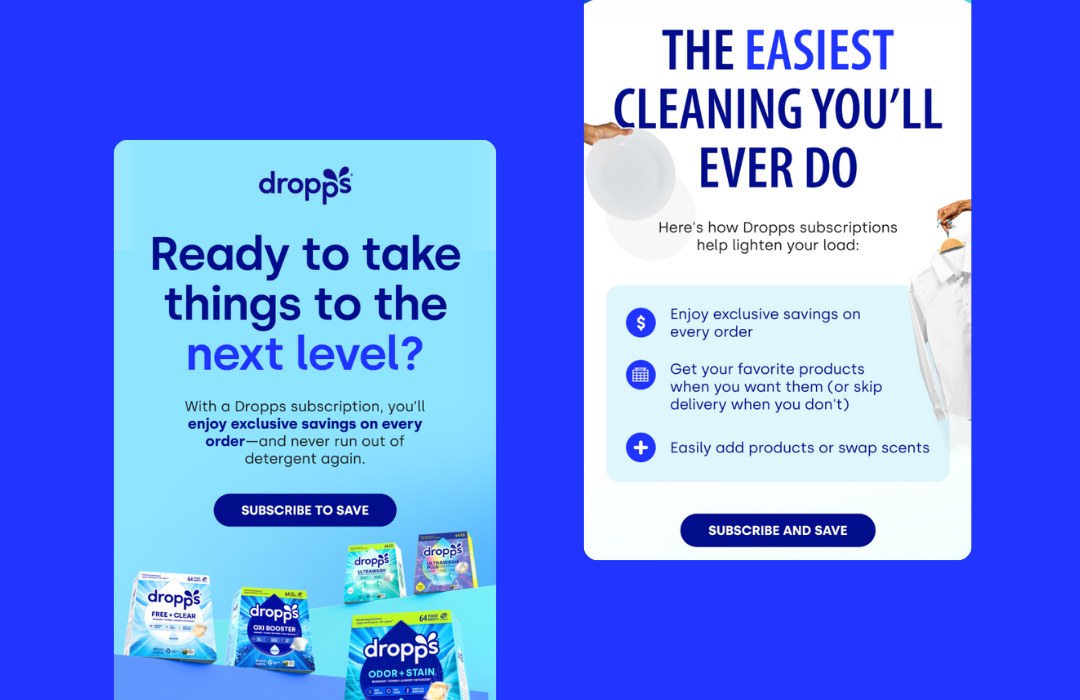
Goal: Target customers who are primed to subscribe based on repeat purchase behavior.
Trigger: After customers have purchased the same product twice (in separate orders). Once a customer is a subscriber, no more emails will be sent from this flow.
Content: The product prompted for subscription is automatically featured, with a CTA leading to the Repeat Cart with subscription pre-selected.
Frequently Asked Questions
How does Lifecycle know when a customer is ready for a subscription upsell?
Lifecycle identifies customers who have purchased the same product at least twice and have demonstrated a predictable replenishment cadence for that product. This tells us the customer is repeatedly coming back for the same item and is likely a good fit for a subscription offer.
What triggers the Subscription Upsell flow?
The Subscription Upsell flow triggers when a customer has bought the same product twice or more and they are approaching the expected time they’d reorder again. At that point, Lifecycle sends a subscription-focused message instead of another one-time reorder reminder.
Can I choose which products are eligible for subscription upsell?
Yes. You can exclude specific products or variants from being used in Subscription Upsell and focus only on products that make sense for recurring delivery.
What happens if a customer’s previous orders include variants I don’t want to subscribe?
You can exclude those variants from subscription eligibility. If excluded, Lifecycle will not prompt a subscription for those variants. The customer may still receive standard replenishment messages (if applicable), or no message at all, depending on your setup.
Does the customer need to buy the same product twice in two separate orders, or will buying two quantities trigger this?
The customer must purchase the same product in two separate orders. Buying multiple quantities of the same product in a single order does not count toward triggering the Subscription Upsell. Why? Lifecycle looks for repeat purchase behavior over time, which is a stronger signal of subscription intent than bulk buying in one checkout.
Does the Subscription Upsell flow fire immediately after a customer purchases the same product twice?
Not immediately. After a customer has purchased the same product twice (across two separate orders), Lifecycle then waits until that customer is due to reorder again based on their personalized replenishment timing. At that point—when they’re “ready” for another purchase—the Subscription Upsell is sent instead of a standard replenishment reminder.
Is there a required time window between the first and second purchase?
No. The two purchases don’t need to happen within a specific timeframe. As long as the customer has purchased the same product twice at any point in time, they become eligible for the Subscription Upsell when they’re next due to reorder.
Does the Subscription Upsell flow ever re-fire?
No. The Subscription Upsell is a one-time Moment per product per customer. Once it sends: if the customer subscribes, they won’t receive future replenishment reminders for that product. If they don’t subscribe, they’ll continue through the standard Replenishment and Late Replenishment Moments instead, but the Subscription Upsell itself will not send again.
Will customers stop receiving replenishment messages after they subscribe?
Yes. Once a customer subscribes to a product, Lifecycle automatically excludes them from replenishment and subscription upsell messages for that product. We defer future order management to your subscription platform, preventing over-messaging and confusion.
Can customers switch between one-time and subscription in the Repeat Cart?
Yes. In the Repeat Cart, customers can choose between one-time purchase and subscribe & save, and select available delivery intervals supported by your subscription app. This flexibility helps reduce friction and increases conversion.
Do I need certain subscription apps for this to work?
Lifecycle works with most major subscription platforms (e.g., Recharge, Skio, etc.). As long as your subscription app supports Shopify selling plans, Lifecycle can detect when a customer subscribes and exclude active subscribers from future upsell or replenishment messages.
How does this Moment improve subscription conversion rate and LTV?
The Subscription Upsell Moment works because it targets customers who have already proven repeat intent, sends the message at the right time based on actual behavior, and reduces friction by pre-filling the cart and surfacing subscription options clearly. This typically leads to higher subscription conversion rates, increased lifetime value (LTV), and fewer one-off repeat purchases replaced by predictable recurring revenue.
Lapse Prevention Moment
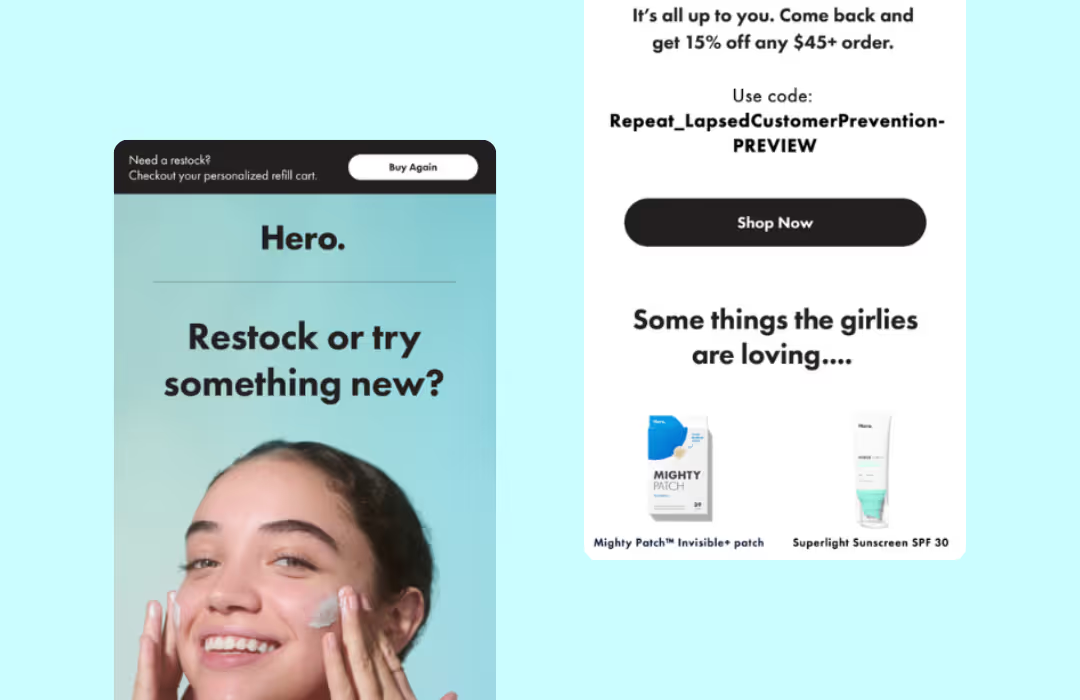
Goal: Target customers who are in danger of never returning.
Trigger: When customers are at risk of lapsing based on their individual purchase patterns.
Content: Previously purchased products automatically featured, plus cross-sell recommendations to other products.
Frequently Asked Questions
How is the timing determined?
Lifecycle calculates timing using each customer’s historical average purchase interval. We analyze how often that specific customer has purchased in the past and when they would normally be expected to purchase again. The Lapse Prevention message is triggered just before that expected behavior breaks, making it highly personalized and well-timed.
Why is it on average around 250 days for most brands?
Because that’s what the data shows across ecommerce. For many brands, customers who haven’t purchased again by around 200–300 days are statistically unlikely to return without intervention. Lifecycle uses this data-driven signal to intervene before the customer fully churns. Importantly, this number varies by brand and by customer—250 days is just an average, not a fixed rule.
Can I change the timing for when the Lapse Prevention flow sends?
The core timing logic itself is not manually configurable because it’s calculated dynamically per customer. That said, you can control whether the Moment is enabled, the messaging, creative, and incentives used, and how it fits alongside your other retention flows. This ensures timing stays data-driven rather than arbitrary.
Does the Lapse Prevention Moment consider product type or only customer behavior?
The triggering logic is customer behavior-driven, while the content of the email can include dynamic blocks to surface previously purchased products and recommendations based on customer history. This ensures the message is relevant even though the timing is behavior-based.
How does this differ from winback flows?
A traditional winback flow is time-based and static—for example, sending at 30, 60, or 90 days after last purchase to broadly re-engage customers. The Lapse Prevention Moment is behavior-based and dynamic. It’s designed to reach customers right before they fall out of their normal purchasing pattern, based on their individual history with your brand. In short:
- Winback = “It’s been X days since purchase”
- Lapse Prevention = “This customer is about to stop buying like they usually do.”
How does this Moment work alongside my existing 90-day or 120-day winback flows?
They work in parallel, not in conflict. Best practice: use your existing winback flows for early re-engagement (30–120 days) and use Lapse Prevention as a last-chance, safety-net Moment that catches customers who didn’t convert earlier. Many brands see incremental lift because Lapse Prevention reaches customers after standard winbacks have already stopped firing.
Which customers are excluded from this Moment?
Customers are excluded if they have recently reordered within their expected purchase window, have an active subscription, are already engaged in another Lifecycle Moment that supersedes lapse prevention, or have insufficient purchase history to establish a reliable baseline. This prevents over-messaging and ensures relevance.
What type of content typically performs best in lapse prevention messages?
High-performing lapse prevention messages tend to focus on friendly reminders (“Just checking in”), product or routine reminders (not heavy promotion), social proof or brand trust signals, and light incentives when used thoughtfully. Overly aggressive discounts or urgency often perform worse than calm, relevant nudges.
Ready to Power Your Retention Strategy with Lifecycle?
Lifecycle automation transforms your post-purchase experience from guesswork into a data-driven retention engine. By automating the right message at the right time for each customer, you can increase repeat purchase rates, boost subscription conversions, and build stronger customer relationships—all without lifting a finger.
Book a demo with Stamped to learn more about how Lifecycle can power your retention strategy and drive predictable, recurring revenue for your brand.
Related Articles

The 30-Day Post-BFCM Retention Plan for Every DTC Brand
The 30 days after customers receive their purchases will determine whether those discount-driven shoppers become loyal, full-price buyers or disappear forever.
by Aiden Brady
BFCM
Lifecycle
Retention Marketing Strategies
Turn Samples into Sales with Repeat’s Sample Upsell Moment
Discover how Repeat’s Sample Upsell Moment automates personalized follow-ups to convert product samplers into loyal buyers. Learn how brands are streamlining sample-to-sale journeys and driving higher conversions—effortlessly.
by Aiden Brady
Lifecycle
Why the Repeat Cart Drives a 3.4X Higher Conversion Rate than Shopify Checkout
A smooth, high-converting checkout is essential. But there's a critical gap that standard storefronts simply can't fill: proactively driving customers back to purchase again.
by Aiden Brady
Lifecycle