The Stamped blog
How to Turn Review Insights Into Retention Workflows
Most brands treat retention like it should only be handled reactively; but by the time you're reacting, you've already lost ground.
Retention Marketing Strategies
Reviews
by Aiden Brady

TLDR: Most brands wait until customers churn to react; but your reviews reveal churn signals weeks earlier. Customers tell you they’re struggling with subscriptions, losing faith in results, or questioning value long before they cancel. The solution? Build automated retention workflows triggered by specific review signals: subscription fatigue, efficacy concerns, price sensitivity, conditional complaints, and service issues. Catch problems while customers are still engaged, and you’ll save revenue that would otherwise walk away. Ready to turn review signals into retention workflows? Book a demo with Stamped to see how.
Introduction
Most brands treat retention like it should only be handled reactively. A customer stops buying, so you send a winback email. A subscriber cancels, so you offer a discount. Someone leaves a bad review, so customer service reaches out.
By the time you’re reacting, you’ve already lost ground.
The brands winning at retention do something different: they build proactive workflows triggered by early warning signals in customer feedback. They catch problems before they become cancellations. They identify at-risk customers weeks before they churn. They fix friction points systematically instead of handling complaints one by one.
Your reviews contain every signal you need to build these workflows. Customers tell you they’re struggling with subscriptions, disappointed by results, frustrated with fit, or considering alternatives long before they actually leave.
The intelligence exists, but are you turning it into automated systems that retain and re-engage customers at scale?
This guide shows you exactly how to do that: which review signals predict churn, what workflows to build around each signal, and how to implement them in one week.
Why Do Review-Based Retention Workflows Work?
Retention strategies are typically built on behavioral data: someone hasn’t purchased in 90 days, so they get a re-engagement email. Someone views the cancellation page, so they see a discount offer. Someone downgrades their plan, so they get a survey.
This approach can yield strong results, but it has one problem: by the time the behavior happens, the customer might already be mentally checked out.
Review data is different. It captures sentiment and intent before behavior changes. When a customer leaves a 3-star review saying “love this but the price is getting hard to justify,” they haven’t churned yet, but they’re telling you they’re thinking about it. That’s your window to intervene.
When you build workflows around review signals instead of just behavioral triggers, you catch customers at the exact moment when they’re frustrated but still engaged. They’re still using your product. They still care enough to leave feedback. They’re reachable.
The data backs this up. In our analysis of thousands of reviews across multiple brands, we found:
- Subscription friction language appeared in only 9.7% of reviews overall but 27.1% of low-rated reviews
- Shipping and service issues appeared in small percentages (2-21%) but were massively overrepresented in low-rated reviews
- Customer service disappointment mentions appeared in just 8.5% of reviews but 24.2% of low-star reviews
- Price and value concerns appeared in 5-16% of reviews but carried 20-36% low-rating shares
These are predictable patterns that appear weeks before customers actually churn. And they’re specific enough to build targeted workflows around.
What Are The Retention Workflows Every Brand Needs?
Based on the most common churn signals we’ve identified in review data, here are the five retention workflows that drive the highest impact:
Workflow #1: The Subscription Health Monitor
The Signal: Reviews mentioning subscription frequency issues, product accumulation, forgetting to skip, difficulty managing deliveries, or feeling overwhelmed by auto-renewals.
Why This Workflow Matters: Subscription fatigue is the #1 predictor of churn for subscription brands. Customers don’t wake up and cancel. They go through a frustration cycle: they forget to skip, the product piles up, they feel guilty about waste, try to manage it, get frustrated with the process, and finally, give up and cancel.
The Workflow:
Trigger:
- Weekly review scan for subscription friction language (“too often,” “piling up,” “forget to skip,” “can’t pause”)
- Tag these customers as “Subscription At-Risk” in your CRM
- Priority level: High if review is 3 stars or below, Medium if 4 stars with concerns
Automated Actions:
Day 0 (When signal detected):
- Send personalized email: “We noticed you might have more [product] than you need right now. Want us to adjust your delivery schedule?”
- Include one-click options: Skip Next Order, Pause for 60 Days, Change Frequency
Day 3 (If no action taken):
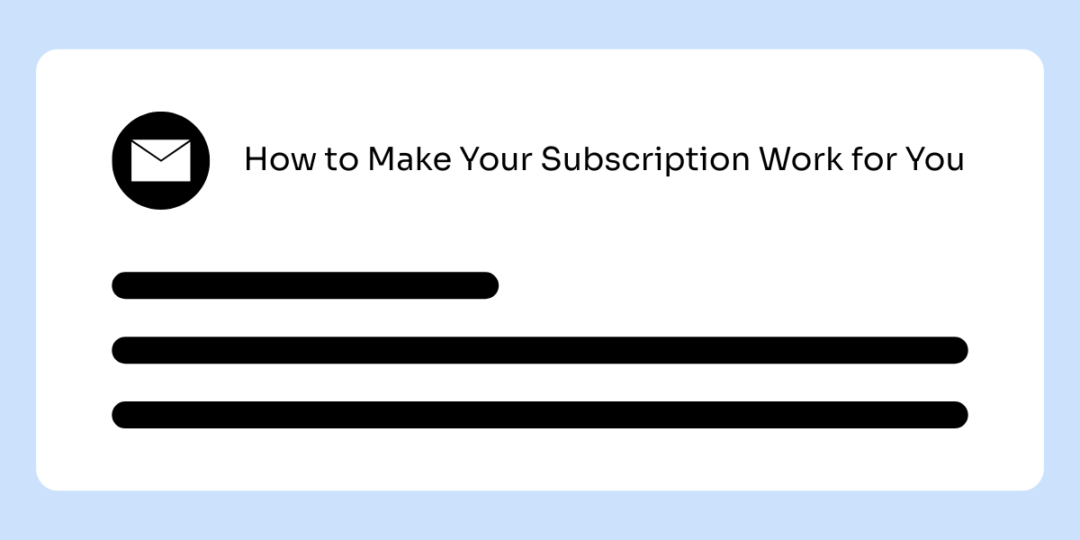
- Follow-up email with education: “How to Make Your Subscription Work for You”
- Include visual guide showing how to skip, pause, and adjust frequency
- Feature customer testimonial: “I used to struggle with too much product, then I learned I could pause anytime”
Day 7 (If still no action):
- Automated outreach from customer success team
- Email sent from a real person, not a generic brand account: “Hi [Name], I saw you left a review mentioning [specific issue]. I want to make sure your subscription is working for you. Can I help you adjust anything?”
- Include direct email response option
Measure Success:
- Churn rate for tagged customers vs. control group
- Percentage who adjust vs. cancel
- Reactivation rate after pause period
- Review sentiment change after intervention
Workflow #2: The Results Plateau Intervention
![An email graphic with a subject line that reads "5 Ways to Maximize Your Results with [Product]."](https://website.stamped.io/wp-content/uploads/2026/01/email-1200-x-600-18-1080x540.png)
The Signal: Reviews mentioning diminishing results, products “stopped working,” plateau effects, tolerance building, or reduced effectiveness over time.
Why This Workflow Matters: When customers stop seeing results, nothing else matters. They’re buying your product to solve a problem; once they believe it’s no longer solving that problem, they’re gone within 60 days.
The Workflow:
Trigger:
- Scan for “stopped working,” “not as effective,” “results plateaued,” “used to work but,” “no longer seeing changes”
- Tag as “Efficacy At-Risk”
- Priority level: Critical (these customers churn fast)
Automated Actions:
Day 0 (When signal detected):
- Send educational email: “Experiencing a Plateau? Here’s Why That’s Normal (And What to Do)”
- Explain the science: why results plateau, what maintenance phase looks like, how to optimize usage
- Include 2-3 customer testimonials from people who experienced plateaus and pushed through
Day 3:
- Follow-up with usage optimization guide
- “5 Ways to Maximize Your Results with [Product]”
- Product rotation strategies, complementary products, advanced techniques
- Video tutorial if applicable
Day 10 (If no engagement):
- Last-chance offer with urgency
- “We don’t want you to give up on [goal]. Here’s [discount/bundle] to help you push through the plateau”
Measure Success:
- Repurchase rate for plateau customers vs. control
- Average time to next order after intervention
- Percentage who upgrade to premium/complementary products
- Review sentiment in subsequent feedback
Workflow #3: The Price Sensitivity Retention Track
![An email graphic with a subject line that reads "Why [X] Customers Say [Product] Is Worth It."](https://website.stamped.io/wp-content/uploads/2026/01/email-1200-x-600-19-1080x540.png)
The Signal: Reviews mentioning price concerns, value justification, cost calculations, budget constraints, or comparison to cheaper alternatives (even in otherwise positive reviews).
Why This Workflow Matters: Price objections rarely appear in isolation. Customers who mention price are actively doing mental math to justify the expense. They’re one competitor discount or one budget crunch away from leaving. The window to reinforce value is narrow.
The Workflow:
Trigger:
- Scan for “expensive,” “price,” “cost,” “worth it,” “budget,” “cheaper alternatives,” “hard to justify”
- Tag as “Price Sensitive”
- Priority level: High if 3-4 stars, Medium if 5 stars with qualifier
Automated Actions:
Immediate (When review detected):
- Send value reinforcement email: “Why [X] Customers Say [Product] Is Worth It”
- Include cost-per-use calculator: “At [X uses], your cost per use is only $X.XX”
- Compare to alternatives: “vs. [competitor/alternative solution] at $X per month”
- Feature ROI testimonials: customers who mention time saved, money saved on alternatives, long-term value
Day 3:
- Offer value-improving options (not just discounts)
- “Get More for Your Money: Bundle [Product] with [Complementary Item] and Save 20%”
- Or: “Switch to Annual Billing and Save $X per Year”
- Or: “Refer 3 Friends, Get Your Next Order Free”
Day 7:
- Education on why your product costs what it costs
- Behind-the-scenes content: quality of ingredients/materials, manufacturing process, why premium matters
- “You’re Not Just Paying for [Product]—Here’s What Else You Get” (customer support, guarantee, community, resources)
Day 14 (If no purchase):
- Loyalty pricing offer
- “As a valued customer, here’s exclusive pricing available only to you: [X% off for next 3 months]”
- Frame as recognition, not desperation: “Because you’ve been with us for [X months], we want to make sure this works for your budget”
Day 30 (If still no purchase):
- Exit survey with incentive
- “Before you go, help us understand: What would make [Product] worth the investment for you?”
- Offer to apply their feedback to product development
- Give small credit ($10-20) for completing survey
Measure Success:
- Retention rate of price-sensitive customers vs. control
- Lifetime value after intervention
- Conversion rate on bundle/annual offers
- Response rate to value education content
Workflow #4: The Conditional Loyalty Save
![An email graphic with a subject line that reads "I Read Your Reviews About [Specific Concern] - Let's Fix This."](https://website.stamped.io/wp-content/uploads/2026/01/email-1200-x-600-20-1080x540.png)
The Signal: Reviews expressing satisfaction but including deal-breakers: “great product but,” “would repurchase if,” “love it except,” “only problem is,” “perfect except for.”
Why This Workflow Matters: These customers are one bad experience away from leaving. They’ve already identified the specific issue that would make them switch. They’re mentally shopping for alternatives. Your window to address the concern is before they find something that checks all their boxes.
The Workflow:
Trigger:
- Scan for conditional language: “but,” “except,” “only problem,” “wish,” “would be perfect if,” “if only”
- Extract the specific concern (price, missing feature, shipping, packaging, etc.)
- Tag as “Conditional Loyalty” with concern category
- Priority level: Critical (these customers are actively at risk)
Automated Actions:
Day 0 (When review detected):
- Automated but highly personalized email
- “Hi [Name], I read your review and noticed you mentioned [specific concern]. I want to make sure we address this for you. Here’s what we can do…”
- Offer specific solution based on their concern:
- If price: “Here’s a loyalty discount available to you as a longtime customer”
- If missing feature: “This is actually on our roadmap for Q[X]. Would you be interested in beta testing?”
- If shipping: “I’m escalating this to our operations team. In the meantime, here’s expedited shipping on your next order”
- If quality concern: “I’d like to send you a replacement at no cost and make this right”
Day 3 (If they respond):
- Solve the problem they identified
- Follow through on commitment immediately
- Ask for feedback: “Does this address your concern?”
- Request updated review if they’re satisfied with resolution
Day 3 (If no response):
- Escalate urgency
- Subject: “Still thinking about [concern]?”
- Add social proof: “Here’s what other customers with similar concerns did…” [links to relevant positive reviews]
Day 7:
- Show them you’re making systemic changes
- “Based on feedback from customers like you, here’s what we’re improving…”
- Make them feel like their input shaped your roadmap
- Give them early access or exclusive preview of the fix
Day 14 (If still no engagement):
- Last-chance personalized offer
- “Before you go: [Specific solution to their exact concern] + [goodwill gesture]”
- Make it clear this is a one-time exception because you value them
Measure Success:
- Save rate for conditional loyalty customers
- Time to resolution for their specific concern
- Percentage who leave updated review after intervention
- Repurchase rate post-intervention
Workflow #5: The Service Recovery Protocol
The Signal: Reviews mentioning poor customer service, unresolved issues, slow response times, feeling ignored, or service frustration.
Why This Workflow Matters: Service failures destroy trust faster than product issues. A customer who feels ignored will actively warn others away. But paradoxically, customers who experience problems that get resolved quickly often become more loyal than customers who never had issues.
The Workflow:
Trigger:
- Real-time monitoring for “customer service,” “no response,” “still waiting,” “didn’t help,” “ignored,” “poor support”
- Tag as “Service Failure – Critical”
- Priority level: Emergency (24-hour response required)
Automated Actions:
Hour 0 (When signal detected):
- Automatic alert to support team lead
- Customer flagged in CRM as “Service Recovery Priority”
- All future communications routed to senior team member
Hour 2:
- Automated but personalized email from leadership (appears from founder/CX head)
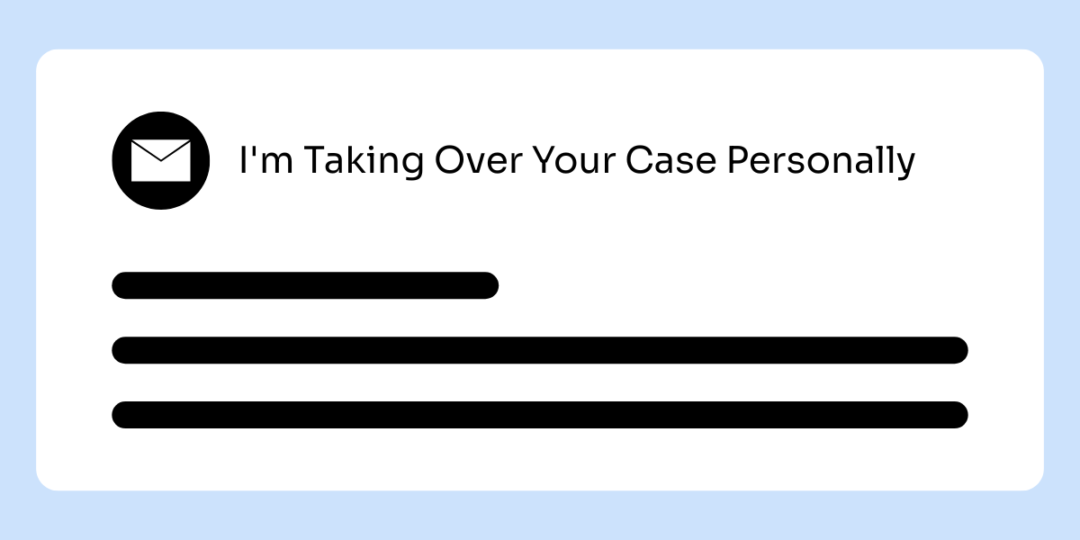
- “Hi [Name], I saw that your recent experience with our support team wasn’t what it should have been. I’m [Title] and I’m personally overseeing your case now. Here’s my direct email: [email]. I’m going to make this right.”
Hour 4:
- Problem solved or clear plan communicated
- “Here’s exactly what we’re doing to resolve this: [specific steps, timeline]”
- Immediate compensation offered without being asked (full refund, replacement, credit, free shipping)
- “I’m not asking you to accept this as payment for bad service. This is us taking responsibility.”
Day 1:
- Follow-up confirming resolution
- “Just checking in to make sure [solution] worked for you. Is there anything else you need?”
- Request updated review only if customer volunteers satisfaction
Day 7:
- Share how their feedback changed internal process
- “Because of your experience, here’s what we’ve changed: [specific process improvement, training, system update]”
- Thank them for holding you accountable
- Offer VIP status or exclusive access as genuine appreciation (not bribe)
Day 30:
- Check-in on overall satisfaction
- “It’s been a month since we resolved [issue]. How has your experience been since then?”
- Position them as partner in improving the brand
Measure Success:
- Review update rate (how many update from negative to positive)
- Repurchase rate post-service failure
- Referral behavior (do they recommend despite initial issue)
- Social sentiment (do they share recovery story publicly)
How to Build These Workflows in Your System
You don’t need complex marketing automation software to implement these workflows. Here’s the practical setup:
Step 1: Set Up Review Monitoring
Use AI (like ChatGPT or Claude) to analyze weekly review exports and flag at-risk customers.
If reviews are pushed into your helpdesk (Gorgias, Zendesk, Help Scout, etc.), you can also monitor reviews directly inside your support system alongside tickets and customer history.
Step 2: Build Customer Segments or Tags
In your email platform (Klaviyo, Mailchimp, HubSpot, etc.), create these segments:
- Subscription At-Risk
- Efficacy At-Risk
- Price Sensitive
- Conditional Loyalty
- Service Recovery Priority
You can add customers manually or automate tagging via CSV import or API integration.
If you use a helpdesk platform, the same logic applies using customer tags instead of segments.
When reviews sync into tools like Gorgias or Zendesk, brands can automatically tag customers based on review rating, keywords, or sentiment. Those tags become the trigger for follow-up workflows.
Step 3: Create Email, SMS, or Support Templates
For each workflow, write 3–5 emails, texts, or support replies following the timing outlined above. Focus on:
- Personal tone (write like a human, not a bot)
- Specific acknowledgment of their concern
- Clear next step or offer
- Easy response mechanism
Test with a small group before scaling.
Step 4: Set Up Workflow Automation
In your email platform:
- Create triggered flows for each segment
- Set send timing (Day 0, Day 3, Day 7, etc.)
- Add branching logic: if customer takes action, exit workflow; if not, continue sequence
- Set up internal alerts for manual follow-up steps
In your helpdesk platform:
- Trigger tickets or conversations when customer tags are applied
- Auto-assign to the right team or queue
- Apply reminders or follow-ups if the customer doesn’t respond
- Escalate high-risk cases for manual intervention
Both approaches work. The difference is whether the follow-up should feel more like marketing or more like support.
Step 5: Launch and Monitor
Start with one workflow. Track:
- How many customers enter workflow
- Open or response rates
- Actions taken (pause subscription, made purchase, issue resolved, etc.)
- Churn rate compared to control group
Optimize based on data. Once one workflow proves out, add the next.
Build Review-Based Retention Workflows With Stamped
Everything in this guide depends on having detailed, honest review data and the systems to act on it. That’s what Stamped is built for.
Our platform helps you:
- Collect high-volume, detailed reviews through automated campaigns that actually get responses
- Capture custom insights with tailored review forms that ask about subscription satisfaction, results timeline, value perception, and other churn indicators
- Access your complete review data for analysis, pattern identification, and workflow triggers
- Integrate with your marketing stack so review signals can trigger retention workflows automatically
- Track review sentiment over time to identify when satisfaction is declining before customers churn
The brands with the lowest churn rates are the ones that catch problems early, respond quickly, and show customers they’re listening.
Your reviews contain every early warning signal you need. The question is whether you’re turning those signals into retention workflows that save customers at scale.
Ready to build retention workflows from your review data? Book a demo with Stamped to see how we help brands turn customer feedback into retention systems that actually work.
Related Articles

The 6 Most Common Loyalty Program Mistakes (And How to Avoid Them)
A strong loyalty program is an essential tool for brands looking to retain customers, increase revenue, and drive repeat purchases, but is your program delivering the results that you're hoping for?
by Aiden Brady
Customer Insights
Loyalty
Retention Marketing Strategies

4 Emails That Get BFCM Buyers to Order Again
The brands that scale into 7 and 8 figures are the ones that know how to take that once-a-year flood of bargain hunters and transform them into year-round, loyal customers. The secret weapon? Strategic email flows designed specifically for post-BFCM lifecycle marketing.
by Aiden Brady
BFCM
Retention Marketing Strategies

Comparing Review Platforms: Who Does It Best? (2023)
Choosing the right reviews platform can transform your marketing efficiency and the quality of customer feedback you collect. We're breaking down what to look for to help you make an informed decision to strengthen your brand’s growth.
by Sammi Wong
Reviews